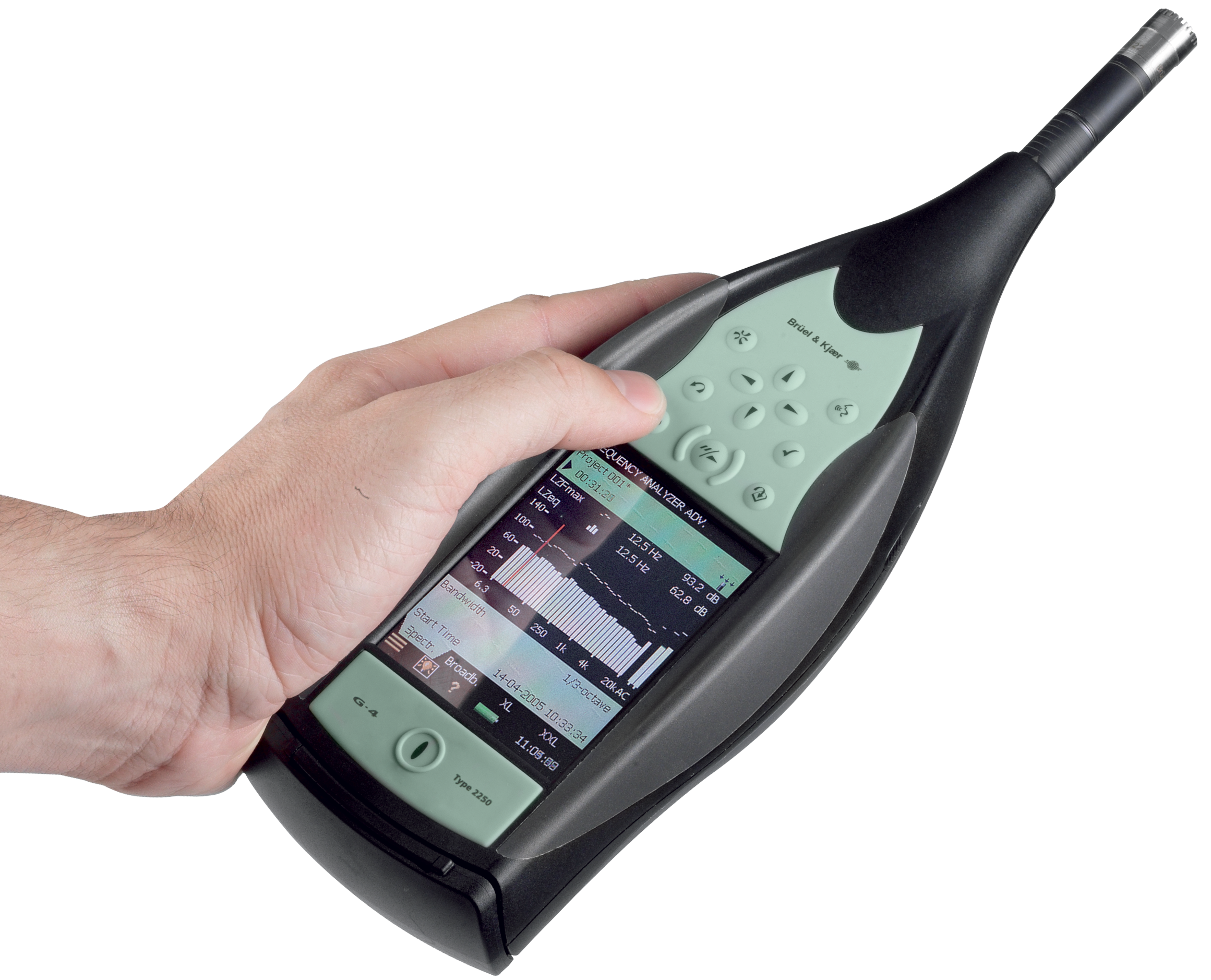
Utility Software for Hand-held Analyzers

What To Do?

  1. Click on the hyperlink for the BZ-5503 Utility Software below, download the file and unzip to a folder of your choice using Winzip (just double-click the downloaded file) 
  2. Read and follow the Installation Manual for installing BZ-5503
  3. Run BZ-5503 and connect 2250 to the PC using a USB cable
  4. Click the Install-button in BZ-5503 and select the software package required for updating your 2250
    Caution: Do not install the version 3.0 software for Type 2250 unless you have a license for version 3.x.

Other Software Updates

If you are using 7815 Noise Explorer, 7820/21 Evaluator, 7825 Protector, or 7830/31 Qualifier for post-processing, documenting and reporting your 2270/2250 measurements, then be sure to use the latest versions.

About type approved software versions

National bodies that type approve sound level meters generally approve specific versions of the sound level meter software. Whenever Brüel & Kjær revises software an extension of the approval is applied for. However, new versions can be published on this site before the new approvals are finalised.

If your use of your 2270/2250 relies on the use of an approved version you should check with your type approving authority, or with your local Brüel & Kjær representative, before installing a new version.

If you need to install a previous version of a software module, then use BZ-5503 Utility Software for Hand-held Analyzers to install the 2270/2250 Software Package containing the version of the software module required. If the 2270/2250 Software Package is not already available in the Installation Task in BZ-5503, then download the package from the page 2270/2250 Software Packages – previous versions.

BZ-5503 Utility Software for Hand-held Analyzers

Contents

  • BZ-5503 version 3.10, 2010-06-04(free update of any previous version of BZ-5503.)
  • 2270/2250 Software Package No. 23, 2010-06-04 (Note: Requires licenses for version 3.x. Contact your local Brüel & Kjær representative if you want to upgrade 2250 from version 1.x or 2.x.)
  • Includes (for Type 2270/2250):
    • BZ-7222 Sound Level Meter Software version 3.3
    • BZ-7223 Frequency Analysis Software version 3.3
    • BZ-7224 Logging Software version 3.3
    • BZ-7225 Enhanced Logging Software version 3.3
    • BZ-7226 Sound Recording Option version 3.3
    • BZ-7227 Reverberation Time Software version 3.3
    • BZ-7228 Building Acoustics Software version 3.3
    • BZ-7229 Dual-channel Building Acoustics Software version 3.3 (for Type 2270 only)
    • BZ-7230 FFT Analysis Software version 3.3
    • BZ-7231 Tone Assessment Option version 3.3
    • BZ-7232 Noise Monitoring Software version 3.3
  • Includes (for 2250 Light):
    • BZ-7130 Sound Level Meter Software version 3.3
    • BZ-7131 1/1-oct. Frequency Analysis Software version 3.3
    • BZ-7132 1/3-oct. Frequency Analysis Software version 3.3
    • BZ-7133 Logging Software version 3.3
  • Includes (for 2250 MATRON Light):
    • BZ-7140 Logging Software version 3.3
    • Logging 1/3-octave Software version 3.3

FilenameFile typeSizeLanguageRelease date
BZ 5503 Utility SW v.3.10.0.363ZIP91.1 Mb United KingdomJune 4. 2010

Manuals

FilenameFile typeSizeLanguageRelease date
User Manual for BZ-5503 v. 3.9PDF5.2 Mb United KingdomNovember 30. 2009
User Manual for Hand-held Analyzer Type 2270/2250PDF6 Mb United KingdomJune 7. 2010
User Manual for FFT Analysis BZ-7230 and Tone Assessment Option BZ-7231PDF5.3 Mb United KingdomJune 7. 2010
User Manual for Building Acoustics Software BZ-7228 and Dual-channel Building Acoustics Software BZ-7229PDF2.7 Mb United KingdomJanuary 7. 2009
User Manual for Hand-held Analyzer Type 2250 LightPDF2.5 Mb United KingdomJune 7. 2010
Copyright © Brüel & Kjær. All Rights Reserved. Corporate Information Privacy Policy Legal Notices